- "No more Bible in one hand and your phone in the other."
- "The whole Bible is free, with no ads."
- "Bible Study built into every verse."
- "The original Greek or Hebrew word behind the English." (Let on-screen labels handle Strong's, transliteration, parsing.)
- "TSK-validated cross-references on every verse" or just "cross-references on every verse." (Trinity Plus feature — say so if explaining the tier.)
- "Study help stays connected to the passage on screen."
- "Answers stay connected to the passage and cite Scripture." (If pressed on guardrails: "framed by historic Nicene Christianity" — only when relevant.)
- "Save notes, reflections, and your study to the verse."
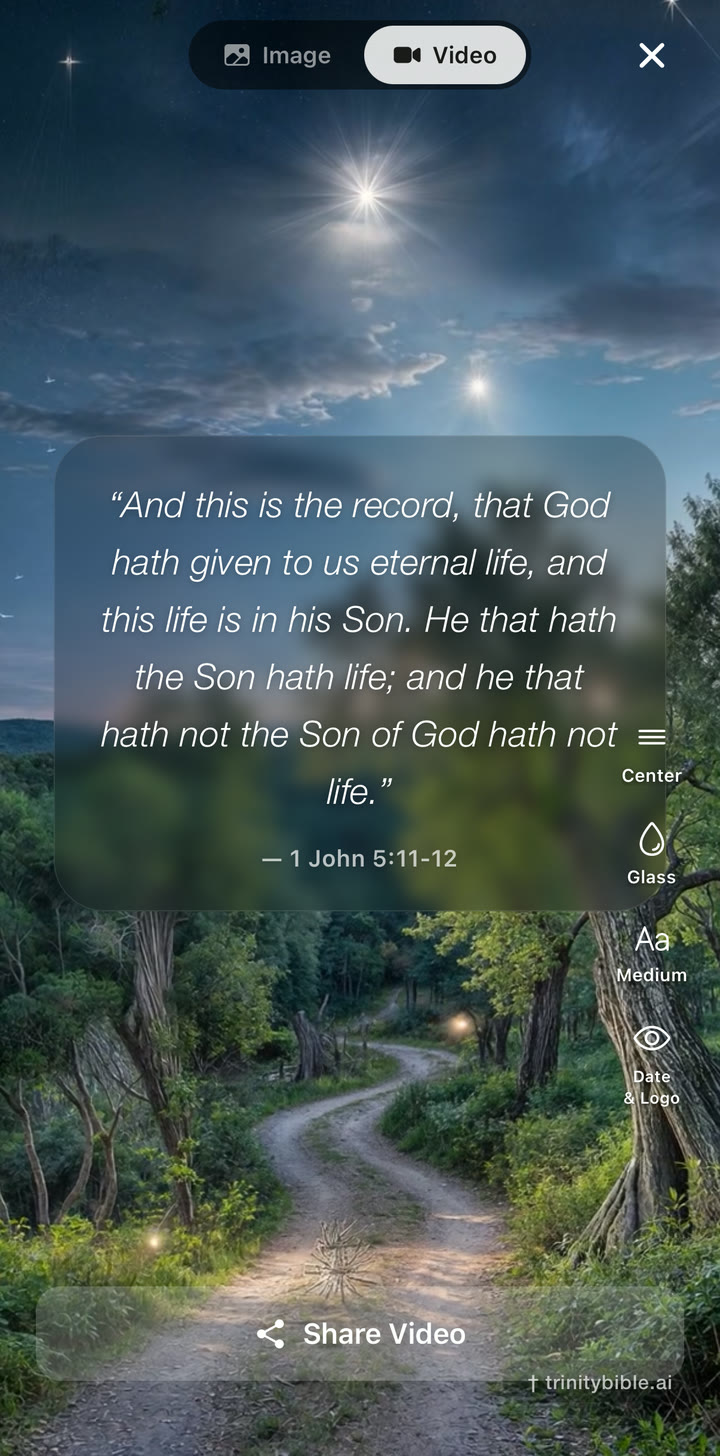
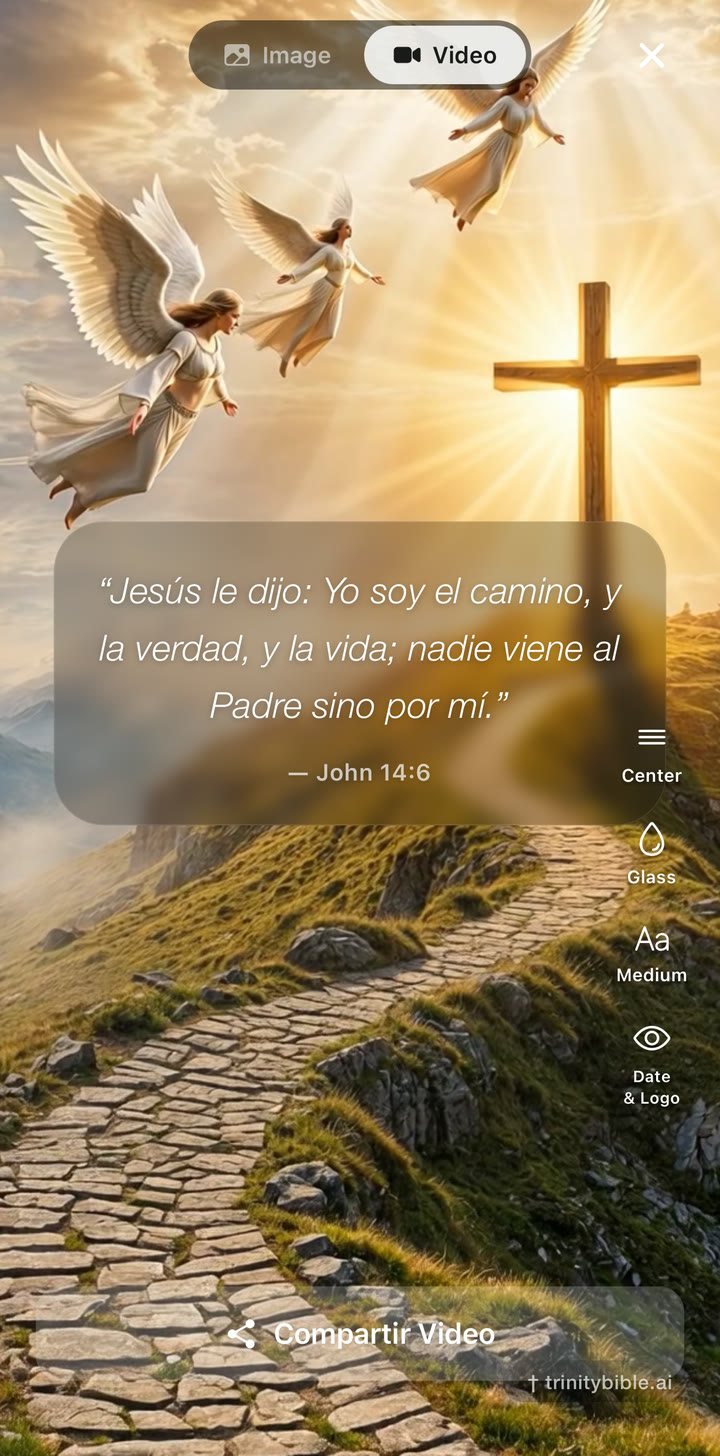
- "Share a verse as an image, a video, or a selfie-video overlay."
- "Export your study into a document for Bible study, sermon prep, or personal reflection."
- "3-day free trial — no sign-up, no commitment."
- "A starting point, not the last word — examine the text yourself."
FOR CONTENT CREATORS
No more Bible in one hand,
No more Bible in one hand,
phone in the other.
The whole Bible is free in Trinity, with no ads — beautifully designed for reading, listening, prayer, bookmarks, notes, and daily Scripture. What makes it different is the Trinity Plus Bible Study layer built into every verse: original Greek and Hebrew, cross-references, study questions, translation comparison, notes, and a sermon-ready document export. And when a verse grips you, Trinity makes it easy to share it beautifully — image, video, or selfie-video with verse overlay.
Verse video — made inside Trinity · tap to unmute
FreeWhole Bible · no ads
TSK-sourcedCross-references on every verse (Plus)
Hebrew & GreekOn every verse, with Strong's
9Public-domain translations
Trinity Bible gives you the whole Bible free, with no ads. But the main story is this: when a verse grips you, you no longer have to leave the Bible and search the internet for context. Trinity Plus brings study tools directly into the verse — original Greek and Hebrew, cross-references, study questions, translation comparison, notes, export, and beautiful sharing.
Show depth first. Do not lead with audio. Lead with one tap from a verse into study. That is the core.
The one-screen brief
If you only read one section, read this one.
Hook with"No more Bible in one hand and your phone in the other, searching all over the internet for what a verse means. Trinity Bible brings deeper study directly into every verse." Open on a recognizable verse — John 1:1, Genesis 1:1, Philippians 4:13, Romans 8:28.
Show thisTap a key word — Greek/Hebrew, Strong's, transliteration, parsing slide in beside the verse. Show the connected study bar (Study, Ask, Original, Compare, X-Refs, Notes). Walk a cross-reference. Compare translations. Save a note. End on a beautiful verse share — image, video, or selfie-video overlay.
Don't say"AI Bible." "Everything is free." "Unlimited deep study, free." "Replaces your pastor / church / teachers." "Tells you exactly what God means." "Ensures every aspect can be understood in full." Don't lead with audio.
Trial line"The whole Bible is free, with no ads. The advanced study tools come with a 3-day free trial — no sign-up, no commitment. After that, Trinity Plus unlocks the deeper tools for people who find value in them."
No more Bible in one hand and your phone in the other, searching all over the internet for context. Trinity brings the study flow directly into the verse — and lets you share it beautifully when it means something to you.
Brand voice
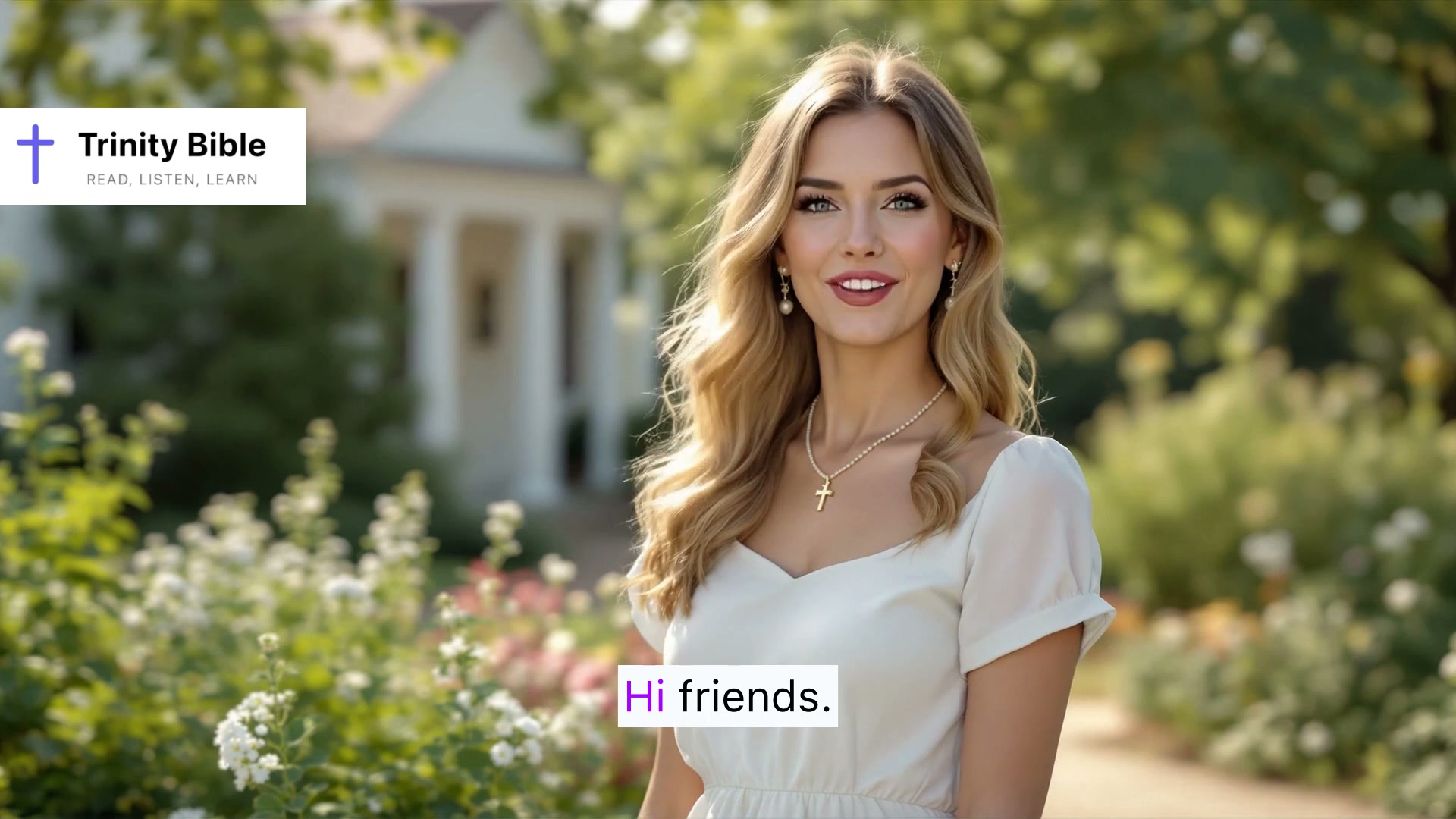
Faith's welcome captures the register we want creators to keep — calm, modern, faithful, unhurried, never hyped. Watch it once before you film.
Calm, beautiful, unhurried, and pointed at Scripture.
- Pace. Unhurried, not slow. Let the verse breathe.
- Tone. Warm and clear. Not breathless. Not hype. Not preachy.
- Voice. Yours. Faith's exact read isn't required — the register is.
- Posture. Pointing back to Scripture, not centering the speaker.
Tone & wording
Trinity should sound like a serious student of Scripture, not a hype merchant. Set the rails before you film.
- "Everything is free." (Only the Bible & basics are. Plus is paid after trial.)
- "All study tools are free forever."
- "Unlimited deep study is free."
- "AI Bible."
- "This tells you exactly what God means."
- "Ensures every aspect of the Bible can be understood in full."
- "Replaces your pastor / Bible study / church / personal discernment."
- "God told me everyone must use this app."
- "Audio Bible" as the lead.
- "Reverent home," "beautiful," "cinematic," "elegant" as the lead.
- "Cheaper than every competitor."
- Political, divisive, or denominationally aggressive content.
- "First / best / only" claims about the category — Logos and others exist.
Three notes that should run under every video
Pick one as your hook. Let the other two live as supporting beats.
Show the study layer.
Hebrew on a verse, a cross-reference walk, a translation comparison — these are the moments people don't see in other Bible app videos. Lead with one of them.
Real life, real study.
Pre-sermon prep, small-group prep, a verse that stops you mid-day — show how the depth meets a real moment, not a tutorial.
Direct, not hyped.
No shouting. No clickbait. State what the feature does in plain language; let the screen do the demonstrating. Trinity exists to help people spend more time with Scripture, not to package it.
What to film, in order
Open with depth, not audio. The strongest hook is the moment the viewer realizes they no longer need to leave the verse to study it.
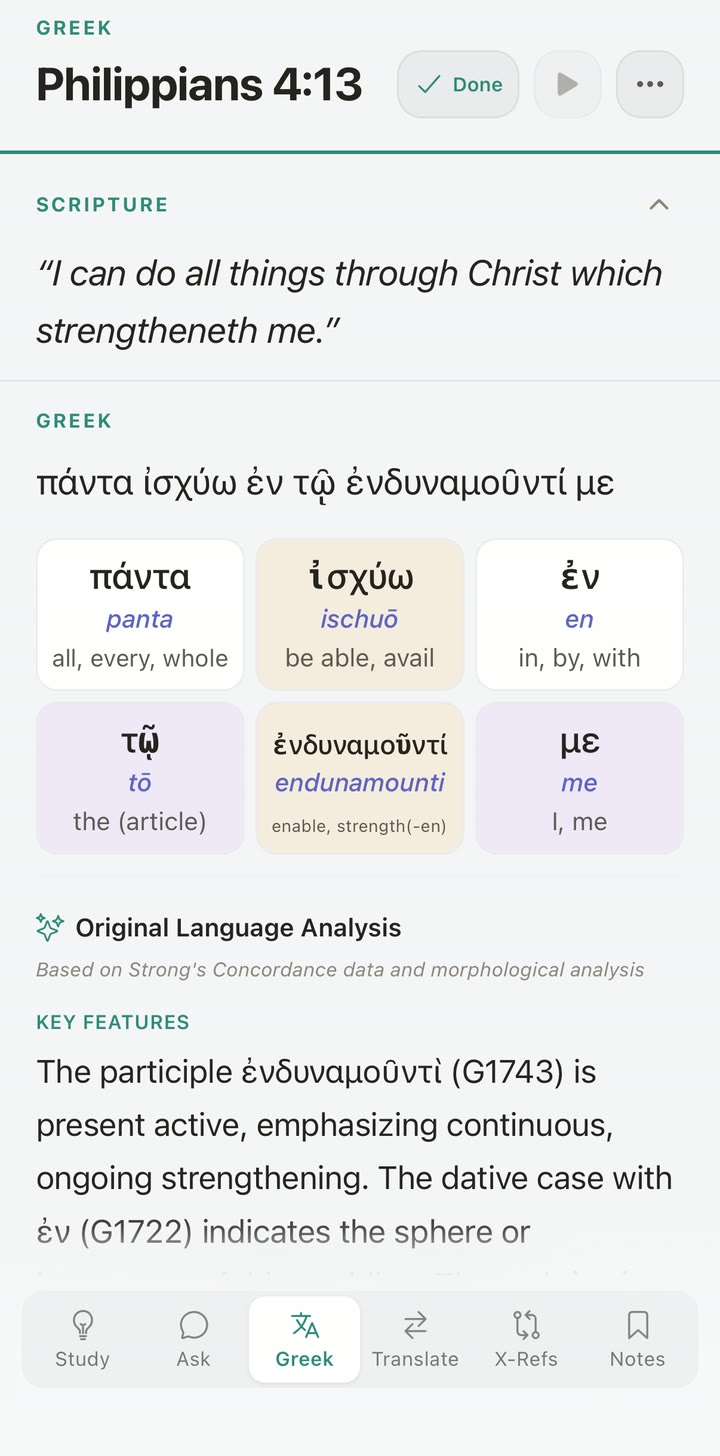
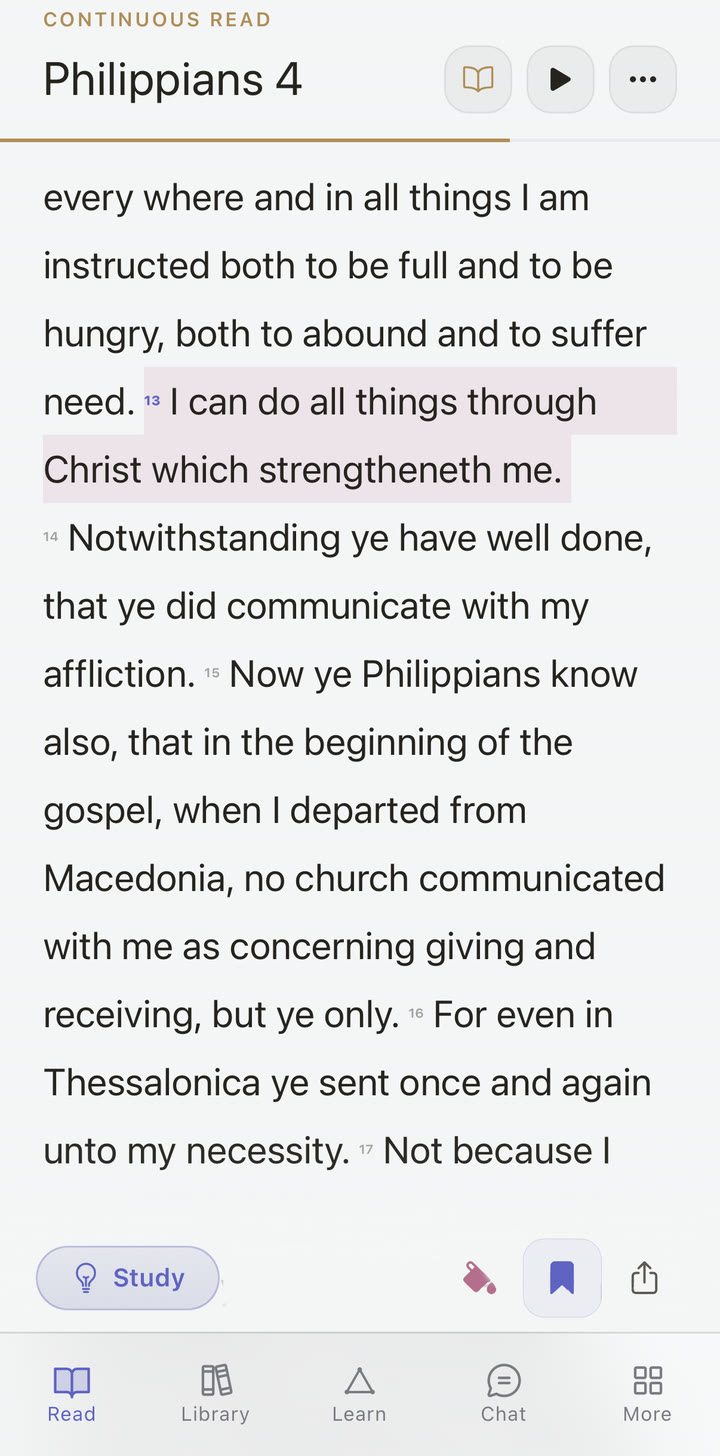
Open on a well-known verse.John 1:1, Genesis 1:1, Philippians 4:13, or Romans 8:28. Show the verse clearly. Suggested narration: "This is Trinity Bible — a free, no-ads Bible app. The whole Bible is free to read and listen to. But the feature that makes it different is the Bible Study section built into every verse."
Land the hook."Normally, if you want to understand a verse more deeply, you leave your Bible app and start searching online — original word meanings, cross-references, commentaries, explanations, and notes. Trinity brings that study flow directly into the passage."
Show original-language lookup.Tap a key word. The Greek or Hebrew opens beside the verse — Strong's reference, transliteration, parsing, word analysis, and English-side highlight that links the original to the translation. Keep the verse visible; let the on-screen labels carry the technical terms. "You can see the original Greek or Hebrew word behind the English translation, with all the study details right beside the verse."
Show the connected study bar.Highlight the navigation that travels with the passage: Study / Analysis · Ask · Original Text · Translation Compare · X-Refs / Explore · Notes & Reflections. "Everything stays connected to the verse you are studying — analysis, questions, original-language work, cross-references, notes, and reflections all live together as one study block."
Show instant study analysis.Open Study / Analysis. "Instead of jumping between your Bible, Google, commentary sites, and note apps, Trinity gives you structured study help directly on the verse — keeping the study tools close to the Scripture itself." Avoid "ensures every aspect can be understood in full." That's overclaiming.
Ask a study question.Use Ask on the passage. Frame it as a study tool, not an "AI Bible." "You can ask a study question about the passage on screen, and the answers stay connected to the Scripture you are reading and cite the verses they're drawing from." Don't claim it replaces pastors, churches, or teachers. (If a viewer asks "is this AI making up doctrine?" — the answer is "the study help is framed by historic Nicene Christianity, scoped to the passage, and declines doctrinal verdicts on disputed matters." Keep that sentence for the comments, not the voiceover.)
Walk a cross-reference.Tap one. Show the linked passage in context, then return. "You can follow cross-references and see how Scripture connects to Scripture. Trinity carries you to the linked passage, then lets you return to the verse you started with — TSK-validated cross-references across the canon, on every verse with Trinity Plus."
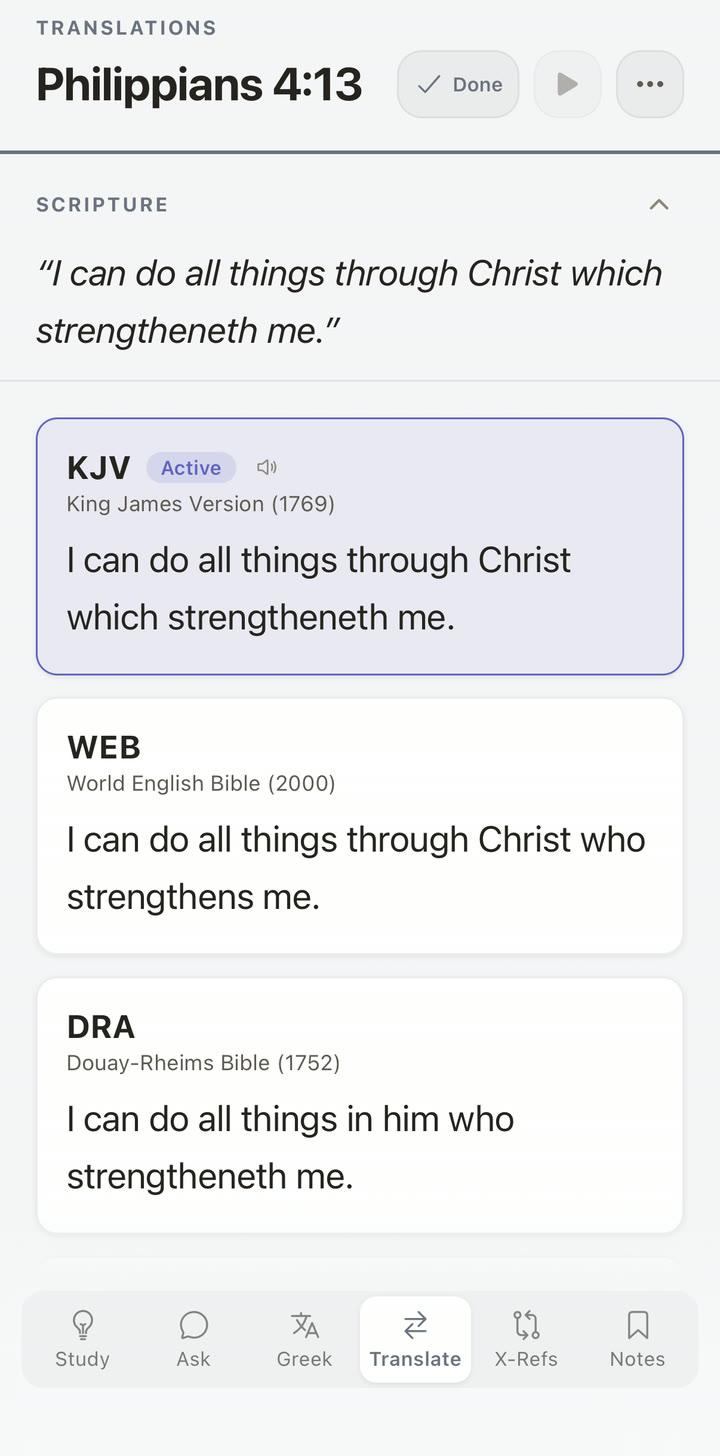
Compare translations.Open translation compare. "You can also compare the verse side by side across nine public-domain translations."
Save a note or reflection."As you study, you can save your own notes and reflections directly to the verse or passage." The study becomes personal, organized, and connected — not generic.
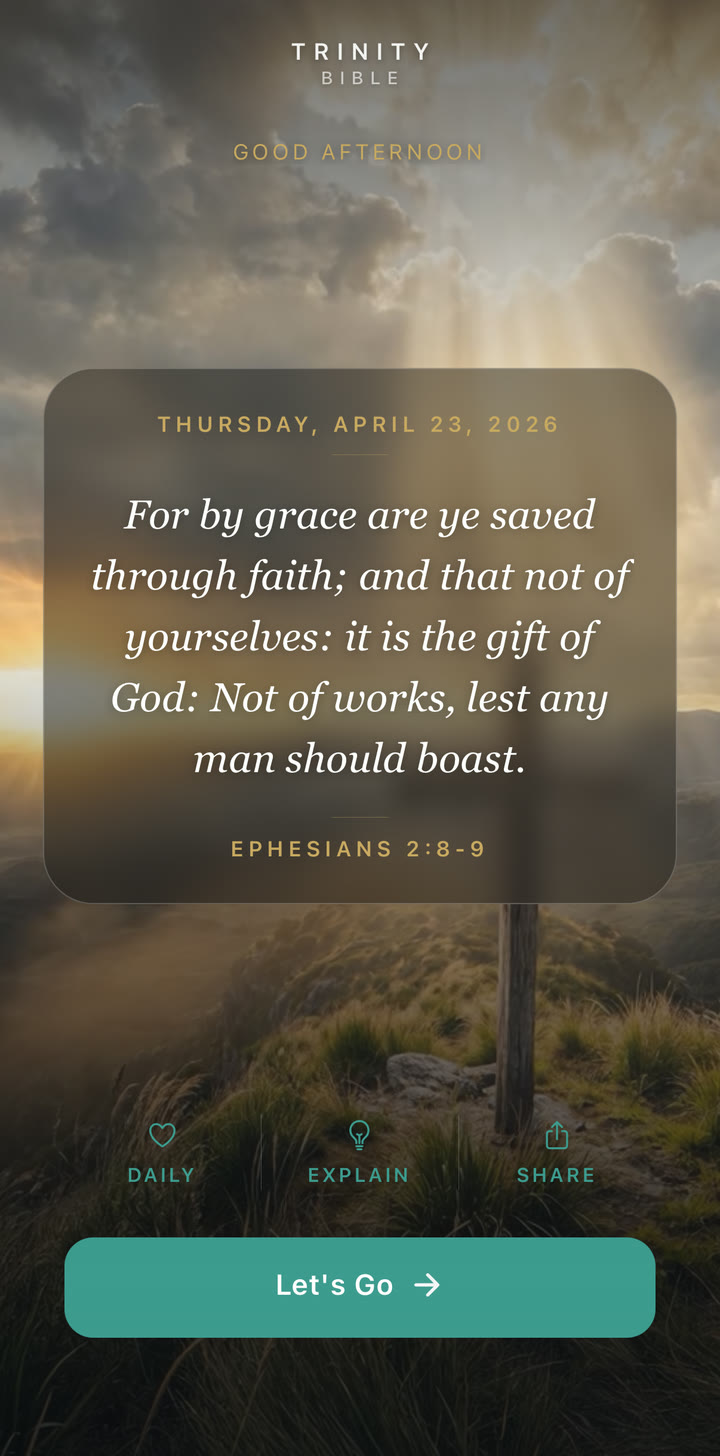
Share the verse beautifully."And if a verse really grips you, Trinity makes it easy to share it beautifully — as a verse image, a verse video, or even a selfie-video with the verse overlaid. Daily Scripture content for stories, reels, posts, or encouragement." This is creative expression, not a utility footnote.
Close with export (if it fits).Pull verse, notes, questions, cross-references, original-language work, and analysis into one document. "When you are done, Trinity can pull together the verse, your notes, questions, cross-references, original-language work, and analysis into a clean document you can use for Bible study, sermon prep, or personal reflection." End with the trial line.
How to talk about pricing
Always frame the trial as a low-friction try-it. The standard line is "no sign-up, no commitment" — keep "no tricks" for the full long-form explanation only, so it doesn't sound defensive.
The whole Bible is free, with no ads. The advanced study tools are available in a 3-day free trial — no sign-up, no commitment, no tricks. After that, Trinity Plus unlocks the deeper tools for people who find value in them.
Free Bible. No ads. 3-day trial of the deeper study tools. No sign-up. No commitment.
You can read and listen to the whole Bible free, with no ads. And when you want to go deeper, Trinity gives you 3 days to try the advanced study tools before deciding whether Trinity Plus is worth it.
Trinity Plus is designed to be one of the most affordable ways to access advanced Bible study tools in one place. (Avoid "cheaper than every competitor" unless legally approved.)
Five content ideas that perform
Pick one angle per video. Don't try to mention every feature.
"I tapped a Greek word in my Bible app. This is what came up."
- Open Philippians 4:13 or John 1:1.
- Tap the verb. Show the Greek lemma, Strong's, and parsing.
- Land on: "Hebrew and Greek on every verse — and the verse never leaves the screen."
"You can't read Romans without Genesis 15."
- Open Romans 4. Show the cross-reference to Genesis 15.
- Tap through. Read both side by side, then return.
- End with: "Cross-references on every verse, sourced from the Treasury of Scripture Knowledge — part of Trinity Plus."
"This Bible app shows me where each definition comes from."
- Tap a Hebrew word — show Strong's entry plus the Brown-Driver-Briggs definition.
- Tap a Greek word — show Strong's plus Thayer's.
- Frame: "the lexicons, morphology, and cross-references are scholar-authored public-domain data, not generated. AI is the synthesis layer, not the source."
"I started a study document from my notes."
- Bookmark a few verses, drop notes, run original-language work.
- Hit export. Show the citation-ready PDF.
- For pastors, teachers, small-group leaders, students.
"If a verse grips you, this is how you share it."
- Sit with a meaningful verse. Tap share.
- Show three options: verse image, cinematic verse video, selfie-video with verse overlay.
- Frame: "Daily Scripture content for stories, reels, posts, or encouragement — without a video editor."
"No sign-up. No commitment."
- Open the app fresh — show that the trial starts without an email or account.
- Show settings or paywall: "Cancel anytime. The Bible stays free."
- Land: "The whole Bible is free, with no ads. The advanced study tools have a 3-day free trial."
Where the data comes from
If anyone asks you on camera "is this AI-generated?", the answer is precise: the study data is scholar-authored and public-domain. AI is the synthesis layer that combines and presents it beside the verse — not the source.
Strong's, BDB, Thayer's, OSHB.
Strong's Concordance numbers and entries (public-domain). Brown-Driver-Briggs Hebrew lexicon. Thayer's Greek lexicon. Open Scriptures Hebrew Bible (OSHB) morphology codes. Every Hebrew or Greek entry you see on a verse traces back to one of these — not to a model.
Treasury of Scripture Knowledge.
Trinity's cross-reference dataset is sourced from the Treasury of Scripture Knowledge (TSK), validated and tagged in-house. Public-domain. Ships offline so the data does not disappear behind a license change.
Nine public-domain Bibles.
KJV, WEB, ASV, BBE, YLT, Darby, Webster's, Douay-Rheims, and Reina-Valera 1909. Every one is public-domain. Text downloads once and works offline.
14 historical texts.
Apocrypha and pseudepigrapha for historical background, all in pre-1929 public-domain English translations. Provided as background sources — not equated with the canonical Bible.
Synthesis, not source.
AI is used to combine the sources above and present them beside the verse — chapter summaries, study sheet text, and contextual answers to questions. The lexicon entries, cross-reference dataset, morphology, and translations are not AI-generated. They are scholar-authored and shipped as-is.
"Scholar-sourced, AI-presented."
Use this line if a viewer asks. The synthesis is bounded by the open passage and stays close to the cited sources. AI does not replace pastors, teachers, or personal study — and Trinity says so in the app itself.
Scripts, hooks & captions
Starting points. The best version still sounds like you. Click "Copy" to grab the block.
Hook lines (very short)
For 3-second openers, on-screen text, or thumbnail captions.
- "No more Bible in one hand and Google in the other."
- "Study the verse without leaving the verse."
- "The whole Bible is free. No ads. Deeper study is one tap away."
- "Read the Bible free. Study deeper when you are ready."
- "Understand the verse. Save the insight. Share it beautifully."
- "From deep study to beautiful sharing — all in one Bible app."
- "A beautiful Bible app for reading, listening, prayer, study, and sharing Scripture."
Scripts & captions
"This is Trinity Bible — a free, no-ads Bible app where the whole Bible is available to read, listen to, bookmark, and study.
But the feature that makes it different is the Bible Study section built into every verse.
Normally, if you want to understand a verse more deeply, you leave your Bible app and start searching online — original word meanings, cross-references, commentaries, explanations, and notes. Trinity brings that study flow directly into the passage.
Here I'm opening a verse and tapping into the original Greek or Hebrew word behind the English translation. The study details — Strong's reference, transliteration, parsing — sit right beside the verse, so the original word and the English stay connected.
Everything stays tied to the verse: study analysis, questions, original-language tools, translation comparison, cross-references, notes, and reflections.
You can ask a study question about the passage, follow cross-references into connected Scriptures, compare translations side by side, and save your own notes as you study.
And if a verse really grips you, Trinity also lets you share it beautifully — as a verse image, a verse video, or even a selfie-video with the verse overlaid.
When you are done, Trinity can also pull your verse, notes, questions, cross-references, original-language work, and analysis into a clean document you can use for Bible study, sermon prep, or personal reflection.
The Bible is free. No ads. And the advanced study tools come with a 3-day free trial — no sign-up, no commitment, no tricks. If they help you go deeper, Trinity Plus unlocks them after that."
"No more Bible in one hand and your phone in the other, searching all over the internet for context.
Trinity Bible gives you the whole Bible free, with no ads, in a beautiful modern app. And when you want to go deeper, the Bible Study tools are built directly into every verse.
You can explore the original Greek or Hebrew, ask study questions, follow cross-references, compare translations, save notes, and export your study into a document for Bible study, sermon prep, or personal reflection.
And if a verse grips you, you can share it beautifully as an image, a video, or a selfie-video with verse overlay.
The Bible is free. No ads. The advanced study tools include a 3-day free trial — no sign-up, no commitment."
Trinity Bible gives you the whole Bible free, with no ads — beautifully designed for reading, listening, prayer, bookmarks, notes, and daily Scripture.
When you want to go deeper, the Bible Study tools help you explore original Greek and Hebrew, cross-references, study questions, translation comparison, notes, reflections, and exportable study documents.
And if a verse grips you, you can share it beautifully as a verse image, a verse video, or a selfie-video with verse overlay.
Try the advanced study tools for 3 days — no sign-up, no commitment.
trinitybible.ai
Visual references
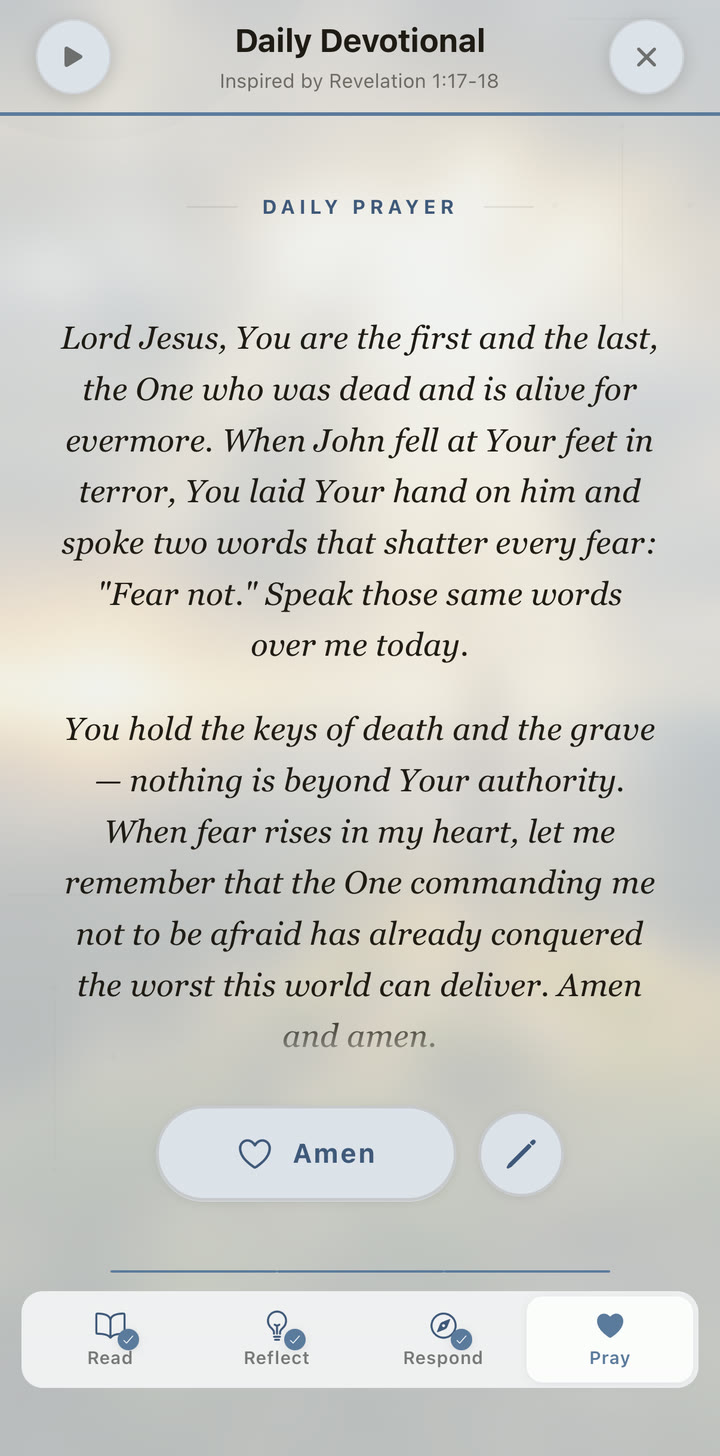
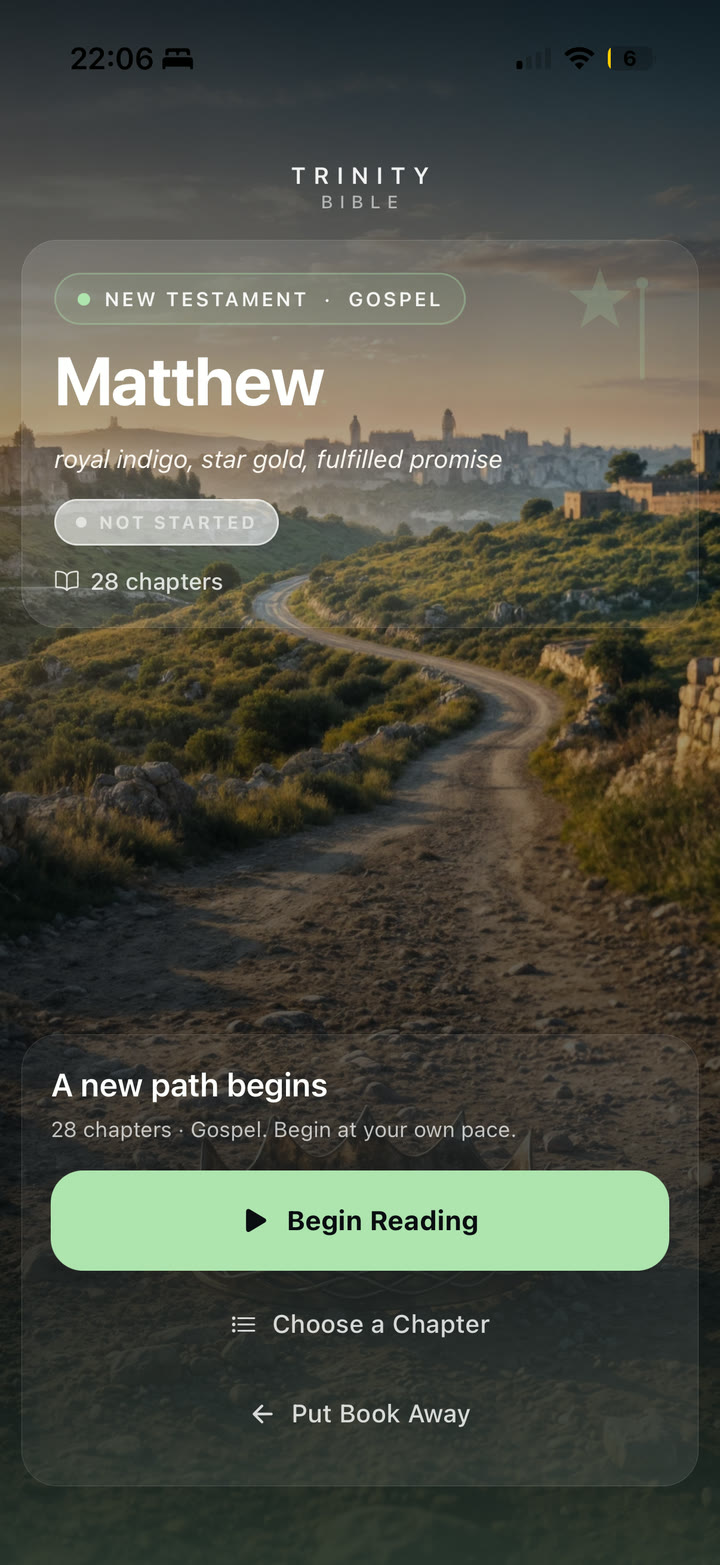
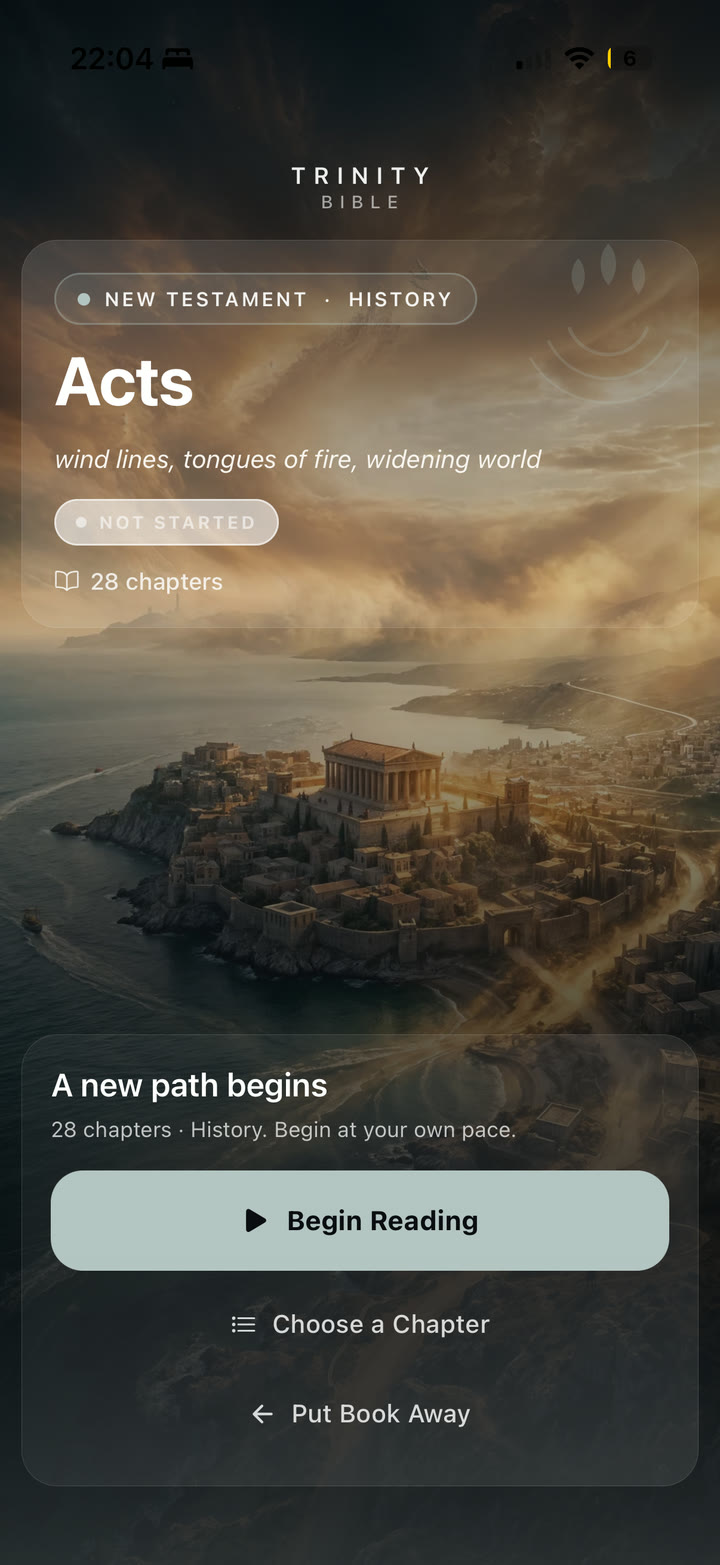
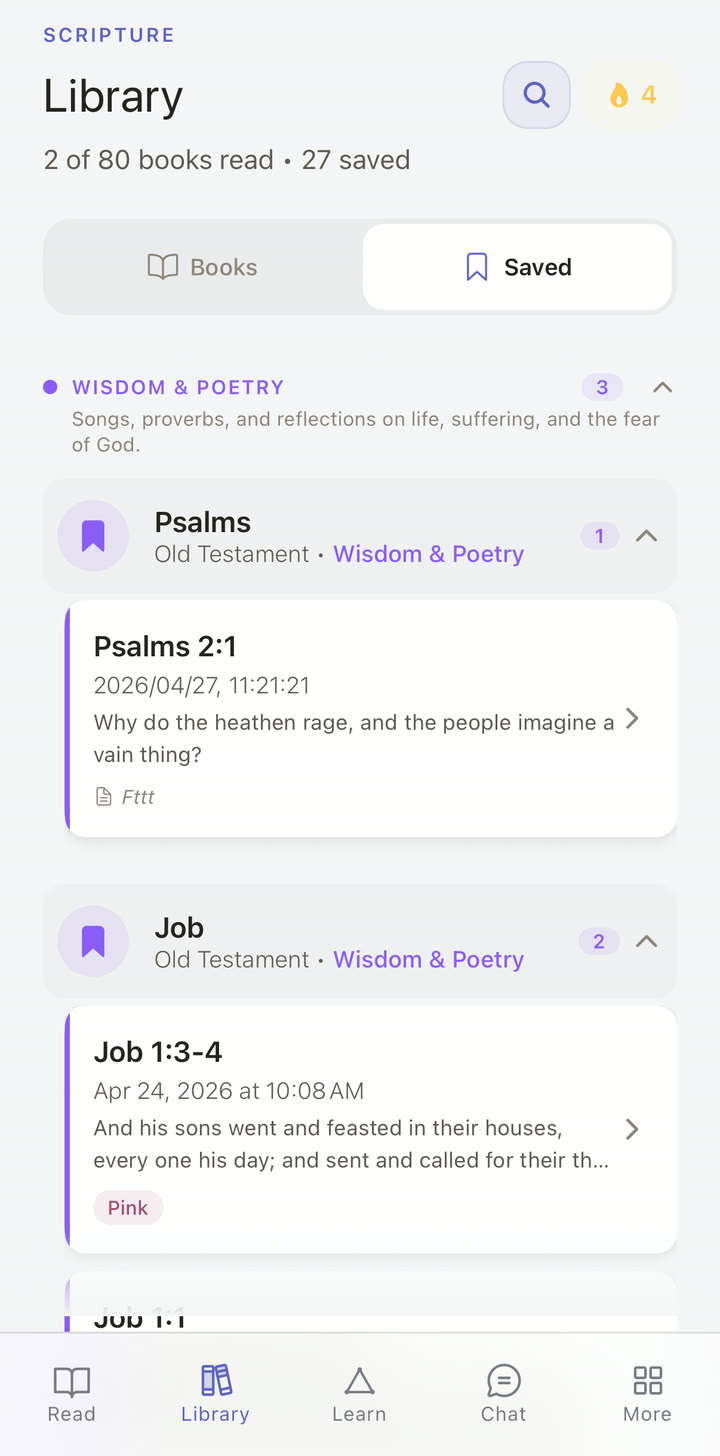
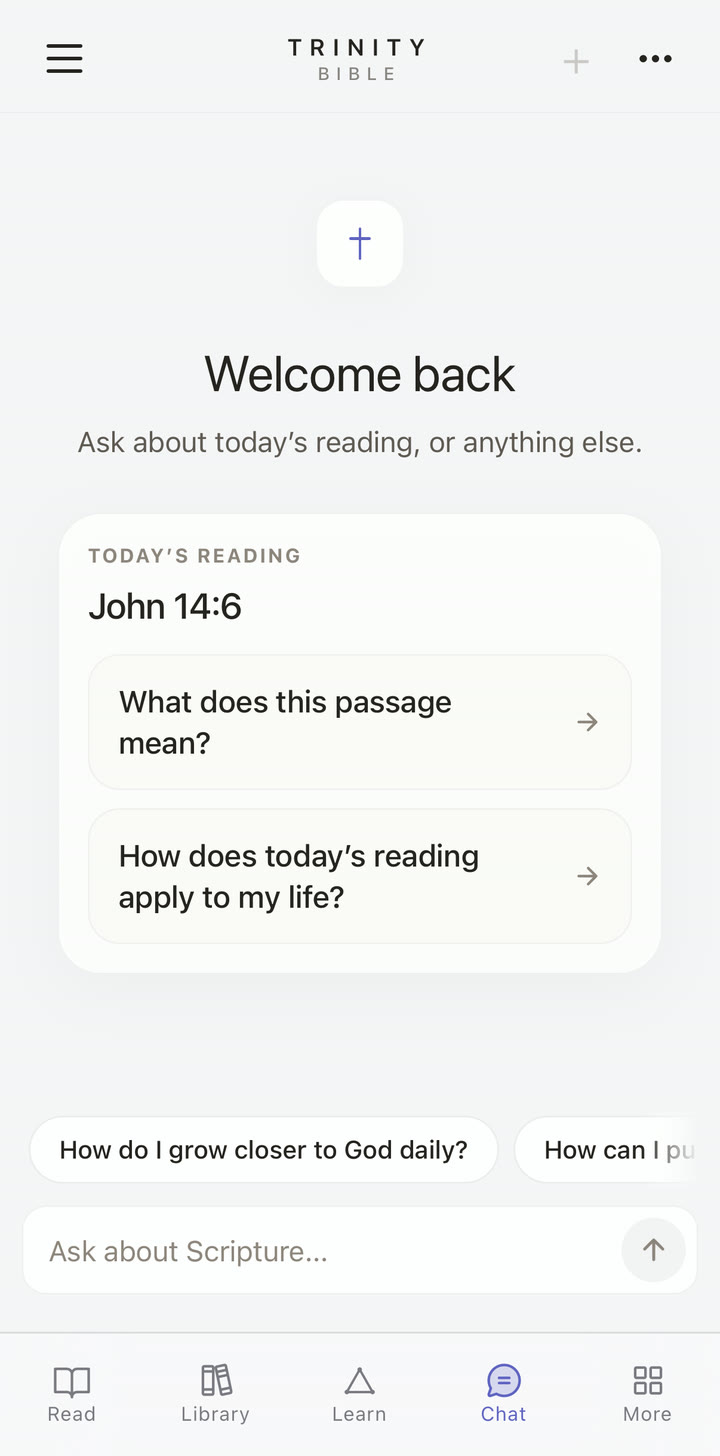
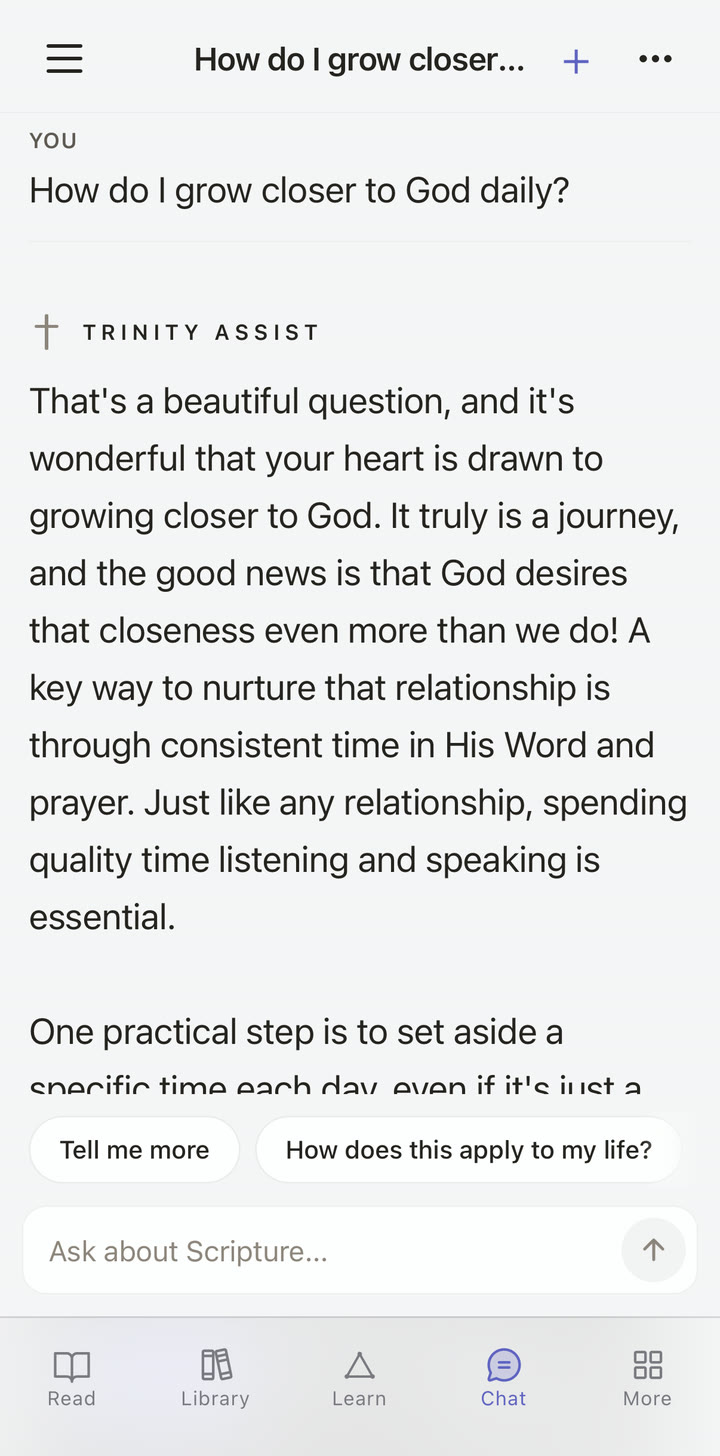
Use these to pick the moments to film. All screenshots are full-frame.
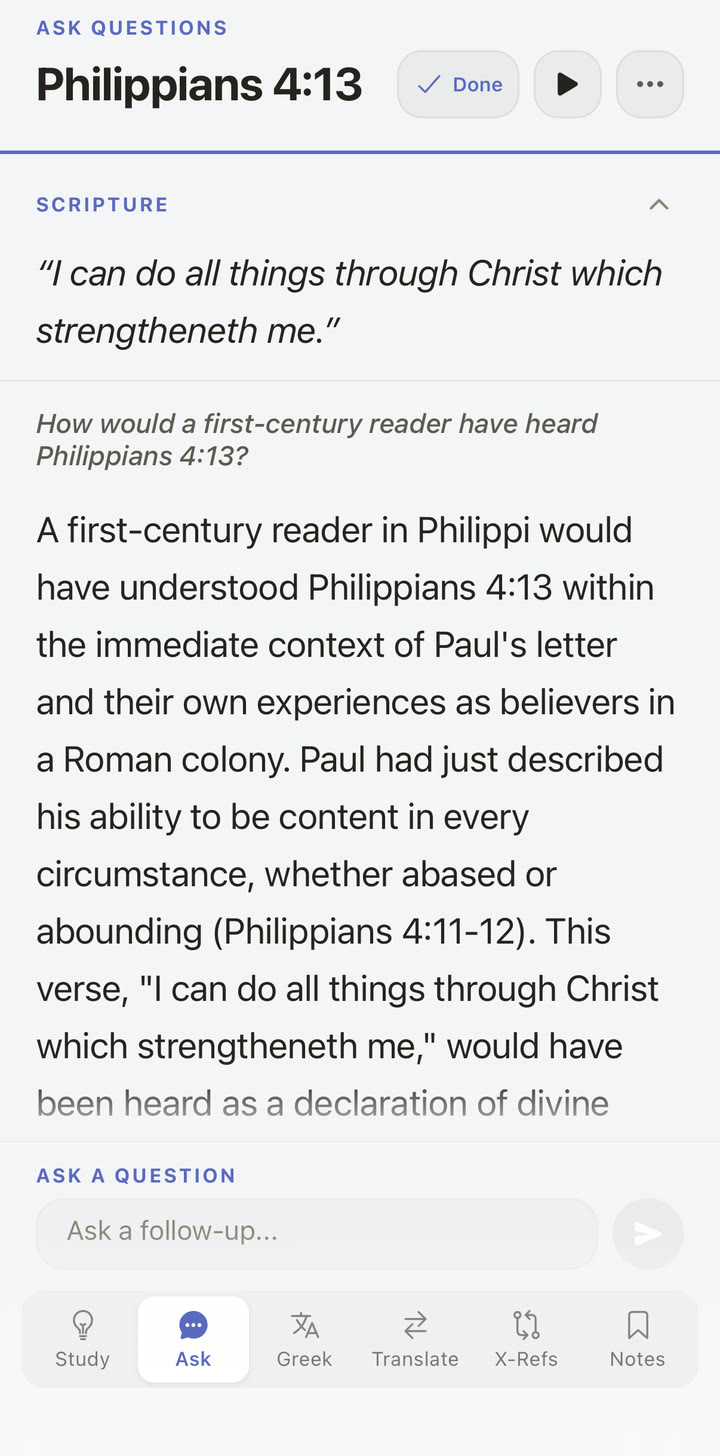
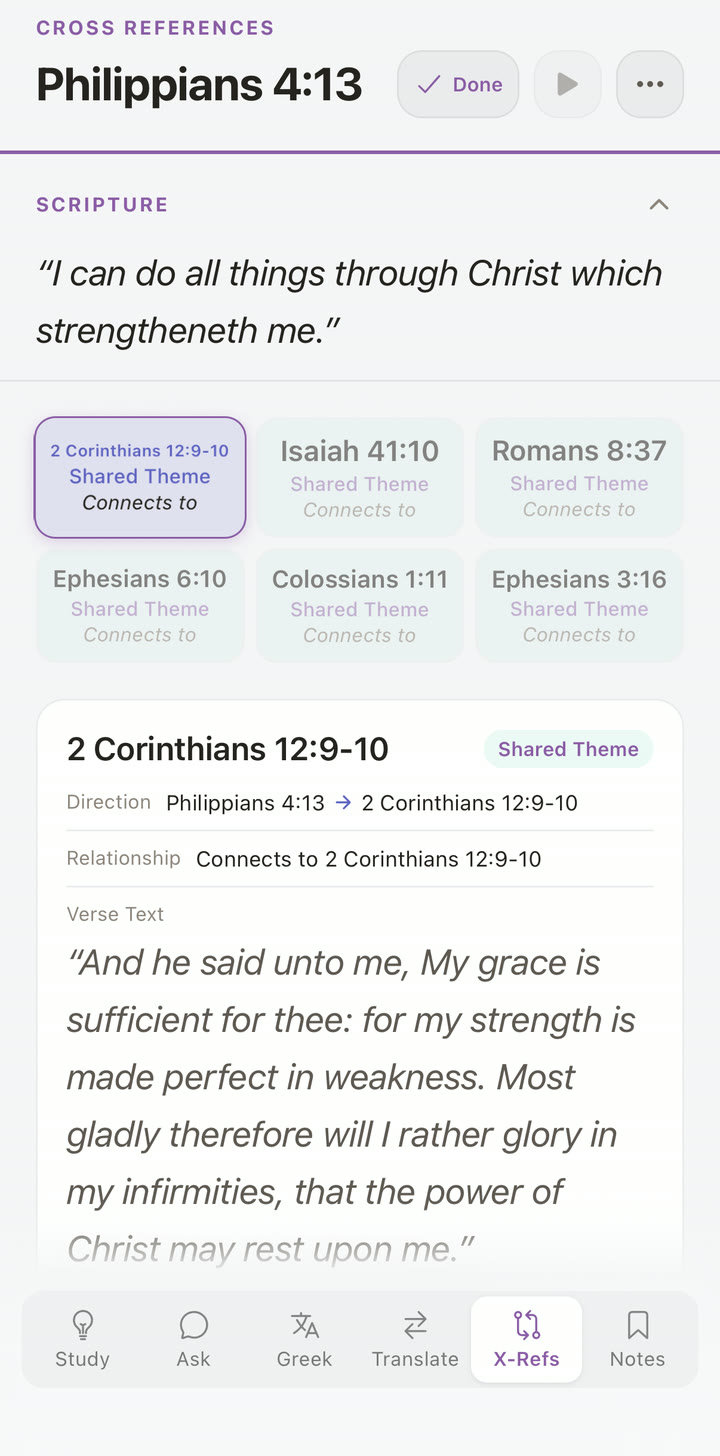
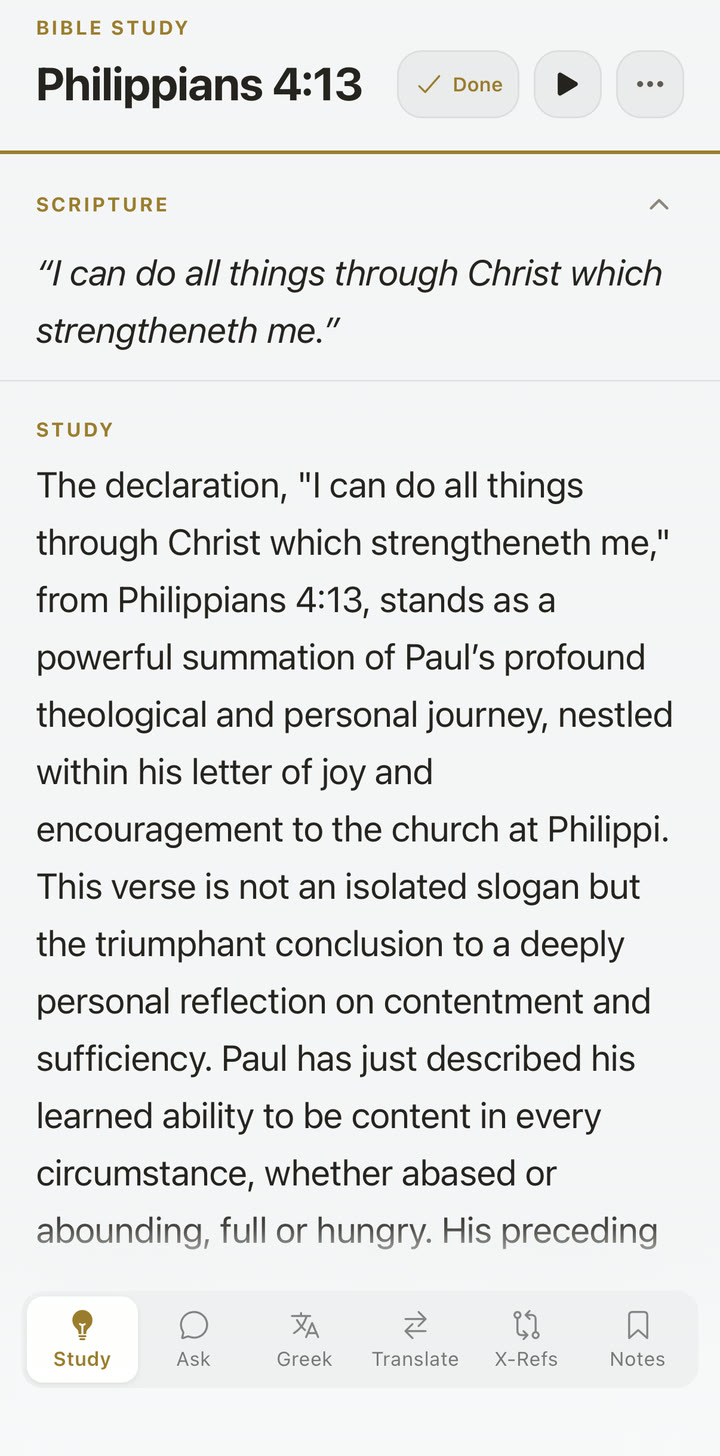
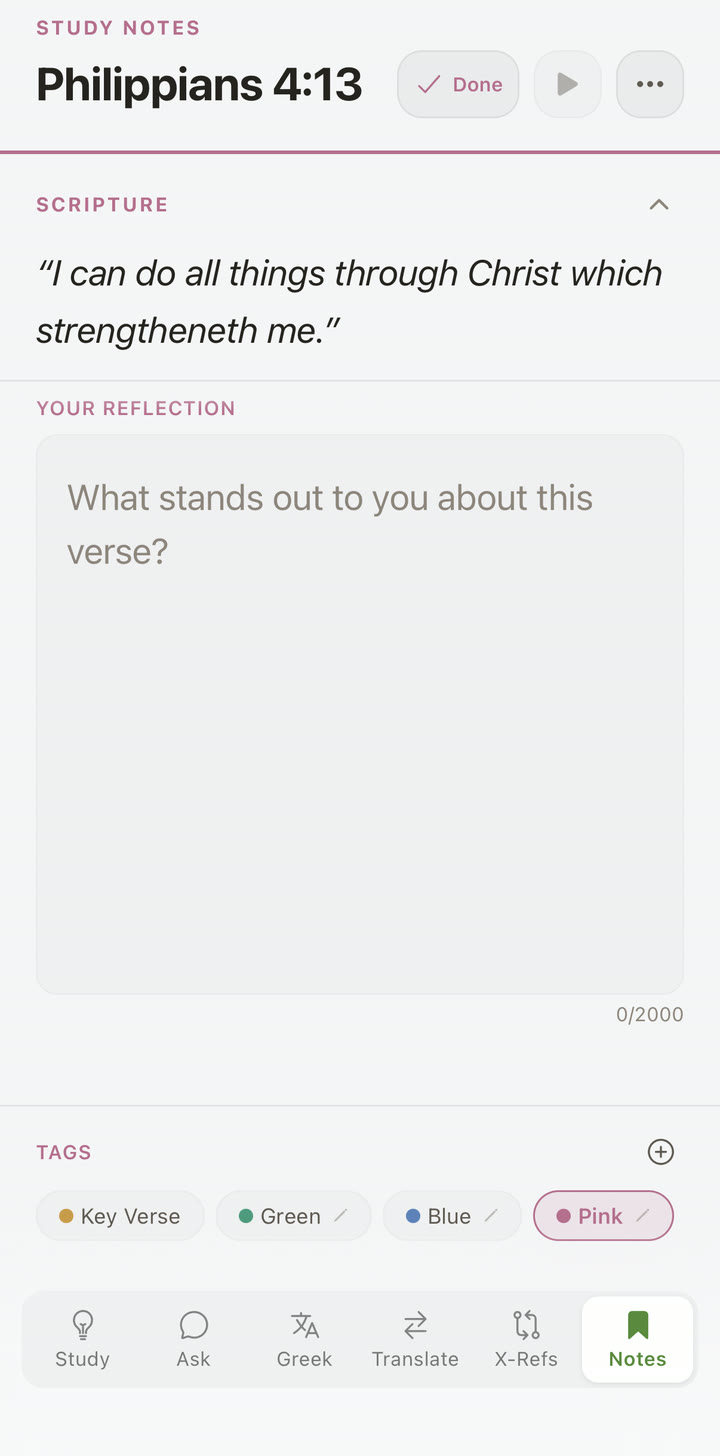
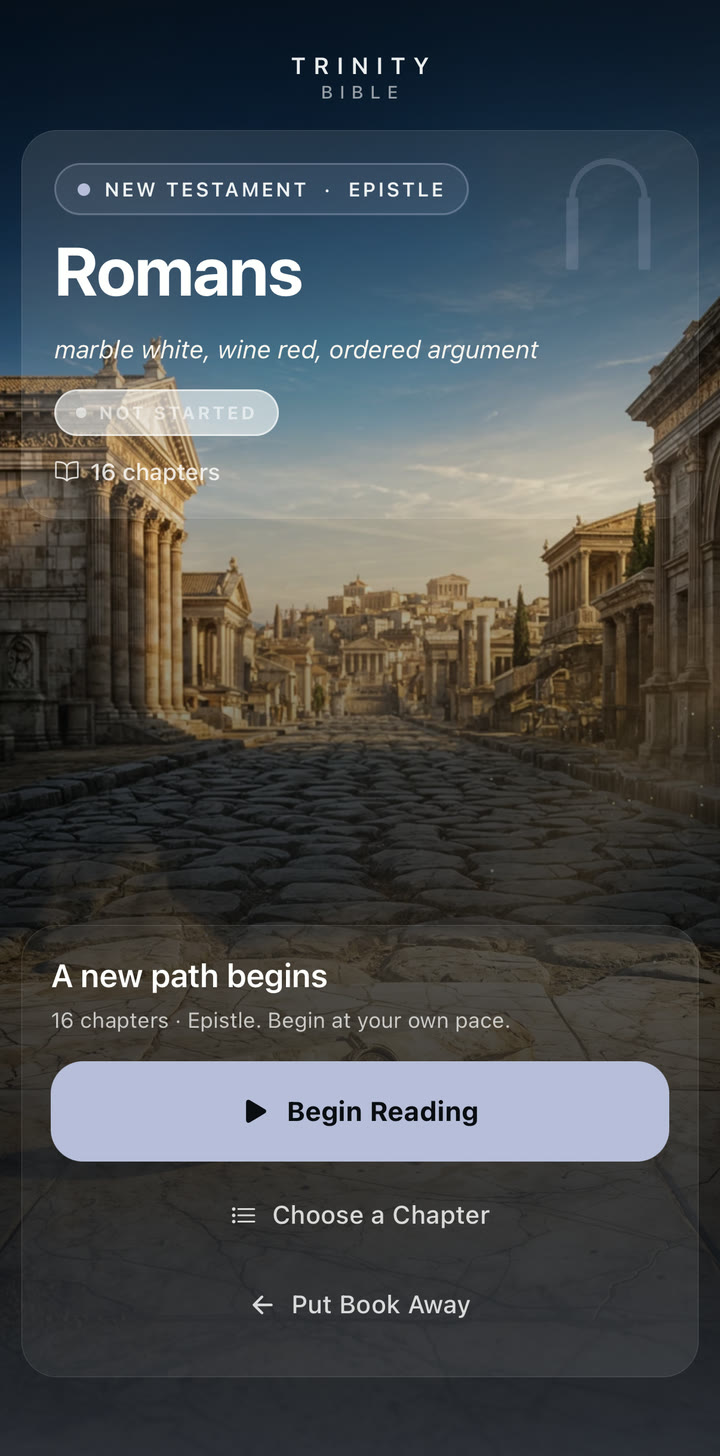
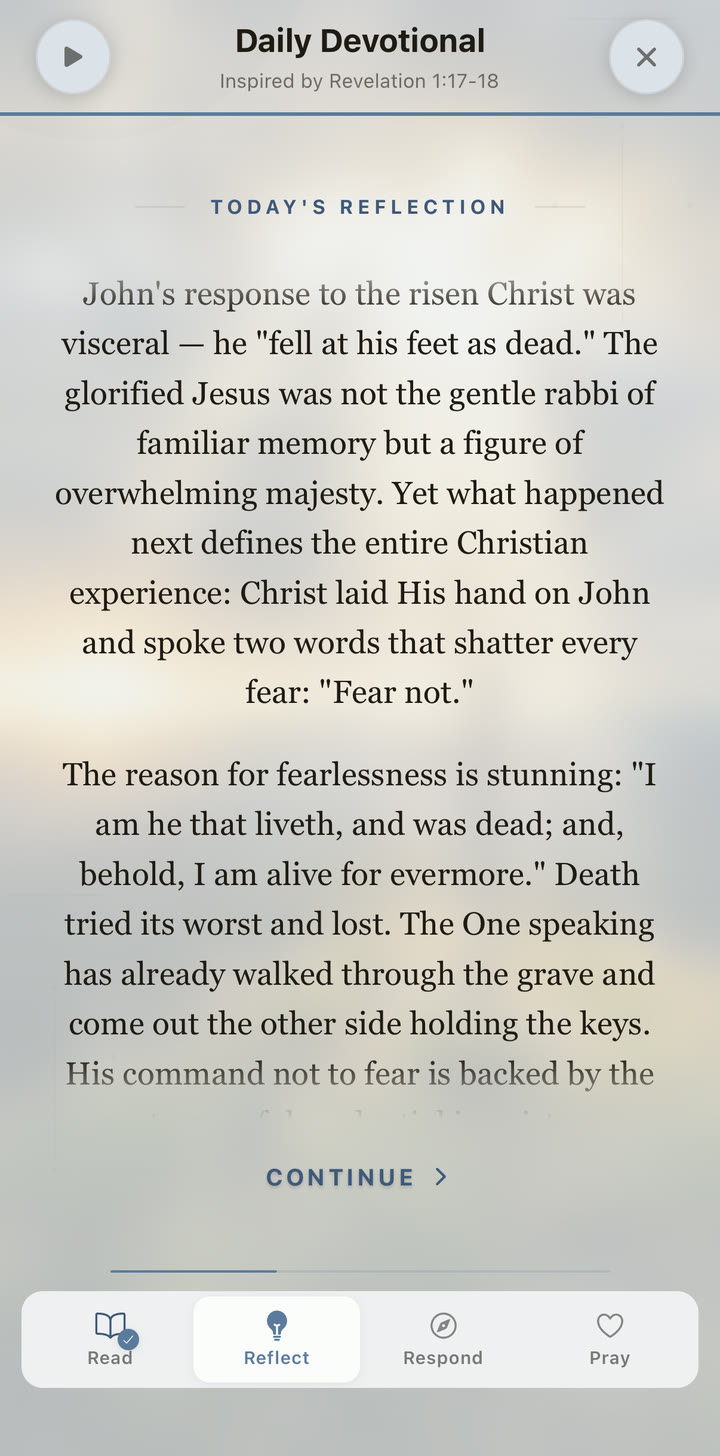
More screens to film against
Click any tile to open full-size. Right-click → Save Image As to download for storyboards or B-roll overlays.
Brand assets & video clips
App icon, hero image, and short clips for your video — credit "Trinity Bible / 8T20 Capital (Pty) Ltd." Click any tile to download.
App icon
 App icon · 1024 × 1024
PNG · master source — resize as needed
App icon · 1024 × 1024
PNG · master source — resize as needed
 Hero image · 2400 × 1600
JPG · cinematic header art
Hero image · 2400 × 1600
JPG · cinematic header art
Video clips
Right-click → Save Video As. Use as B-roll, intro, or share-feature reference.
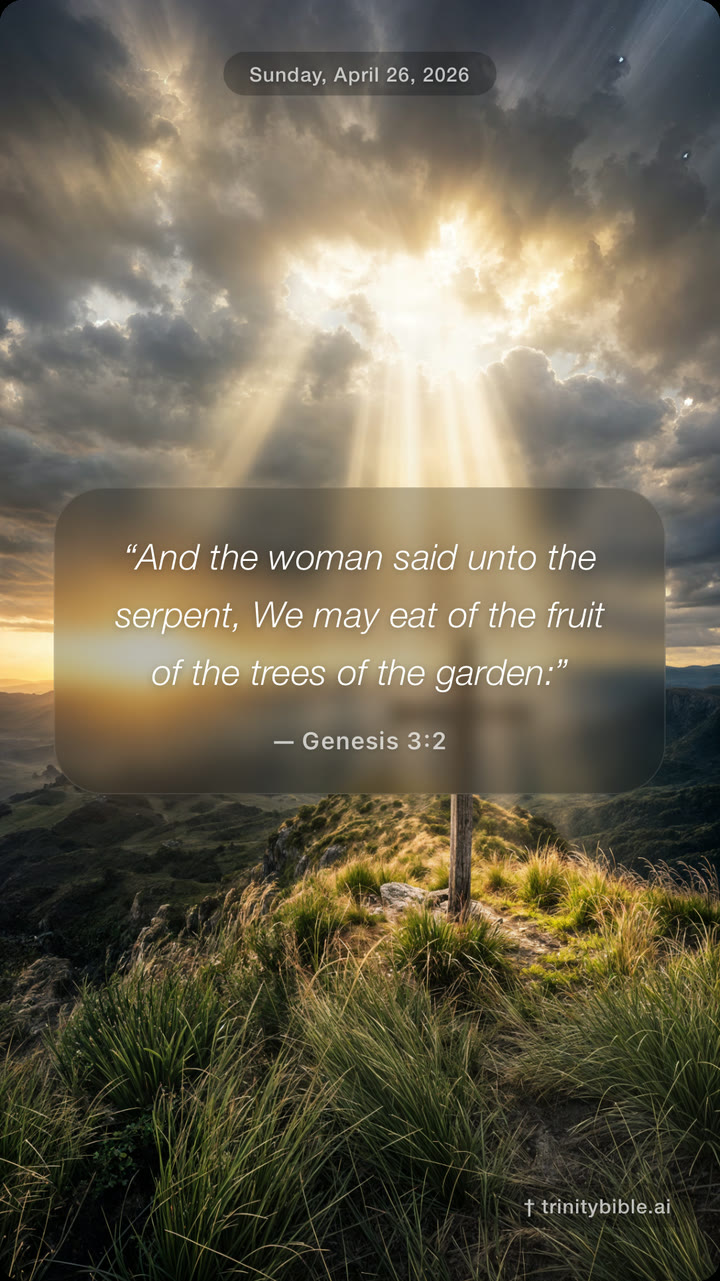
The 30-second cut — a tight tour through the daily experience and study tools.
- Use it as-is with the music underscore (Gentle Mercy, mixed at 0.55). Or mute and dub your own voiceover.
- The flow: cross at sunrise → daily verse → daily prayer → cinematic verse video → Joshua book cover → Hebrew interlinear → cross-references → splash close.
- Where it shines: the Hebrew + cross-references blocks (16-26s) are the deepest differentiator beat. Don't talk over them.
- Read script and timing: ask Andrew for
Trinity_Bible_Creator_Script.txt— 65 words paced across 30 seconds.
 30-second preview
MP4 · 1080×1920 · with music · 27 MB
30-second preview
MP4 · 1080×1920 · with music · 27 MB
 Welcome video
MP4 · narrated by Faith
Verse video sample · Psalm 23
MP4 · 9:16 cinematic verse
Welcome video
MP4 · narrated by Faith
Verse video sample · Psalm 23
MP4 · 9:16 cinematic verse
Worship music & album cover
Trinity surfaces worship music inside the app — original tracks from Faith Taylor on Apple Music and Spotify. Use the cover or link to a track in your video.
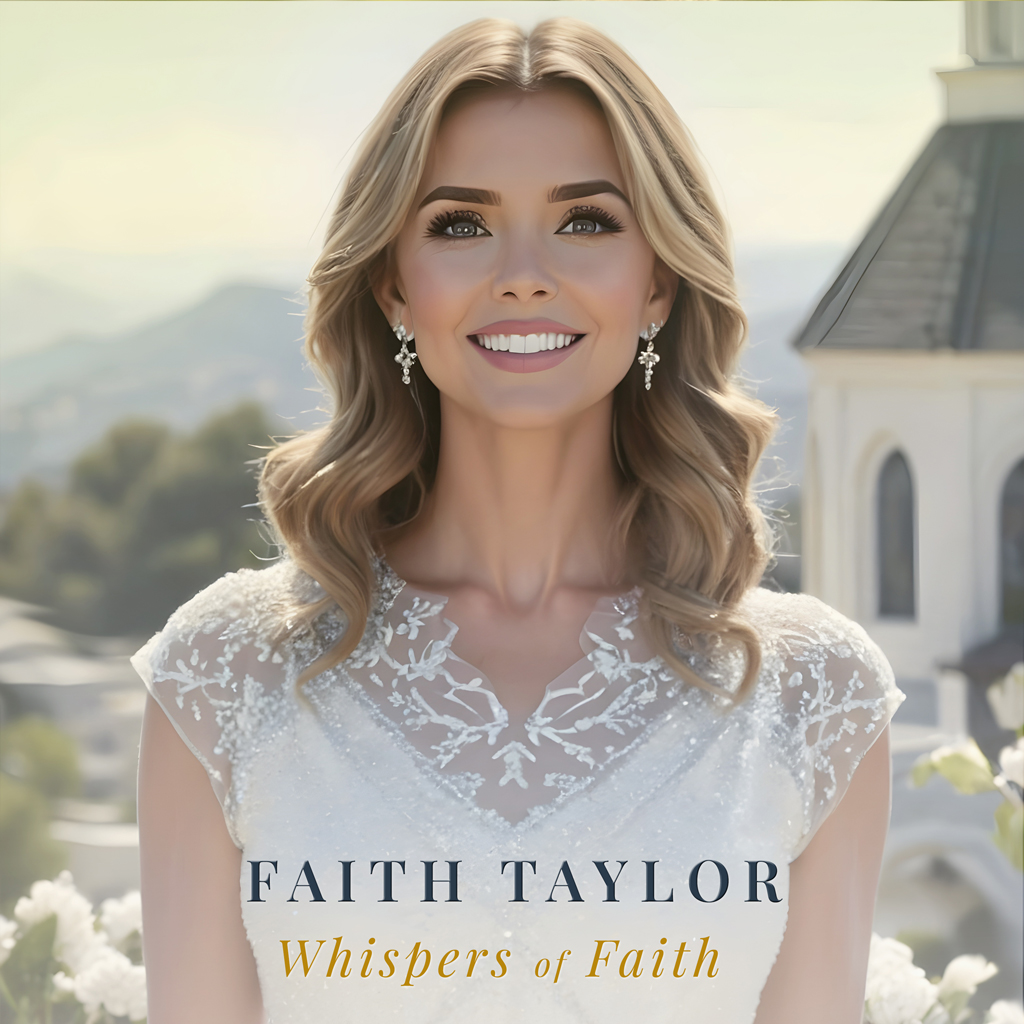 Album cover · Faith Taylor
JPG · cover art used in-app
Apple Music
Faith Taylor · artist page
Spotify
Faith Taylor · artist page
Album cover · Faith Taylor
JPG · cover art used in-app
Apple Music
Faith Taylor · artist page
Spotify
Faith Taylor · artist page
Gold: #C5A55A
Blue: #4D4CDF
Cream: #FBFAF7
Ink: #0B0B10
Display: Cormorant Garamond
UI: Inter
Recording specs
Defaults for short-form. Override if it works for your audience.
Vertical 9:16 for Reels / TikTok / Shorts. 16:9 only if it's for long-form YouTube. 20–45 seconds for short-form, 2–6 minutes for long-form.
Use a clean screen recording. Don't add captions over the verse text. Keep the system clock and notification bar tidy. Don't show personal info (calendar previews, message previews, family in shot).
Voiceover or on-camera. Trinity's in-app narration can be referenced or briefly demoed but should not carry the video — the voice should be yours.
House rules
A short list. Anything out of step here, please ask before you publish: partnerships@trinitybible.ai.
Lead with the deep-study layer, not audio.
Don't say "AI Bible." Say "passage-level study tool with explicit limits."
Free tier is the whole Bible. Always say so.
Trinity Plus is the deep-study tier — name what unlocks.
Never imply replacement for church, pastors, or discernment.
No political or denominationally aggressive content.
Direct, even tone. No clickbait Scripture.
Don't make "first / best / only" claims about the category.
End by inviting people back to Scripture.
The point is not to make the app the hero. The point is to help someone open the Bible, stay with the passage longer than they planned, and study it with depth. Use one clear link in your post or bio.
Links
Pick one destination per post or profile bio so the call to action stays clean.
Websitetrinitybible.ai →
iOSApp Store →
AndroidGoogle Play →
Partnershipspartnerships@trinitybible.ai →
Supportsupport@trinitybible.ai →
Media kitFor press →
Follow Trinity Bible
Tag us in your posts — we love resharing creator-made content. Tap a card to open the platform, or use the Copy button to paste the handle into a bio or caption.